Coming soon to the App Store · In internal beta
PixelLean: Photo Compressor
Set a file-size target in KB or MB. PixelLean compresses your images on your device—and tells you when a target can’t be reached.
JPEG, PNG and WebP. Batches of up to 50 images. Saving to Photos and Files is always free.
The right size. Your choice.
Built for one job: the right file size.
Size targets you choose.
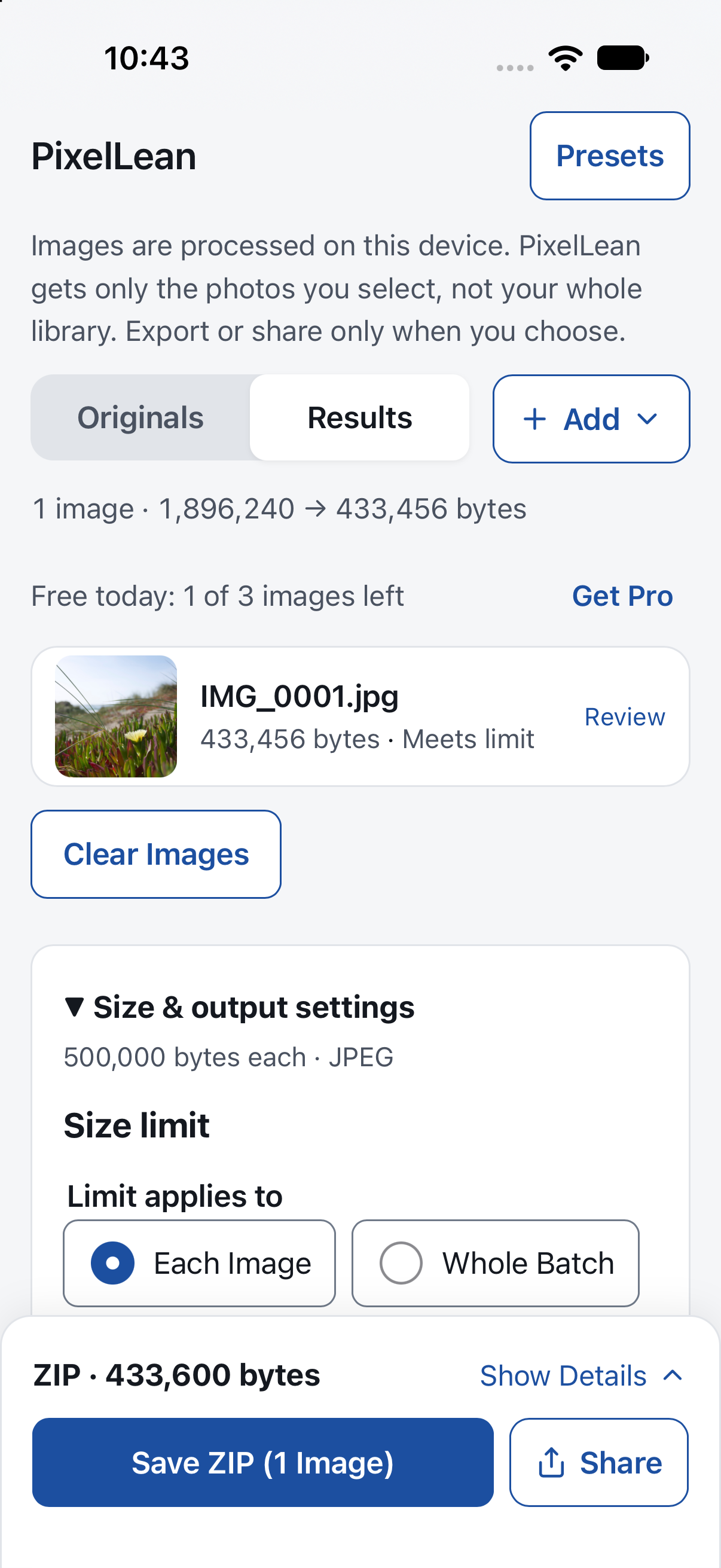
Set a limit in bytes, KB or MB, for each image or the whole batch. PixelLean adjusts quality and dimensions within your bounds. If a target can’t be reached, it tells you instead of passing off an oversized file.
Exact bytes, before and after.
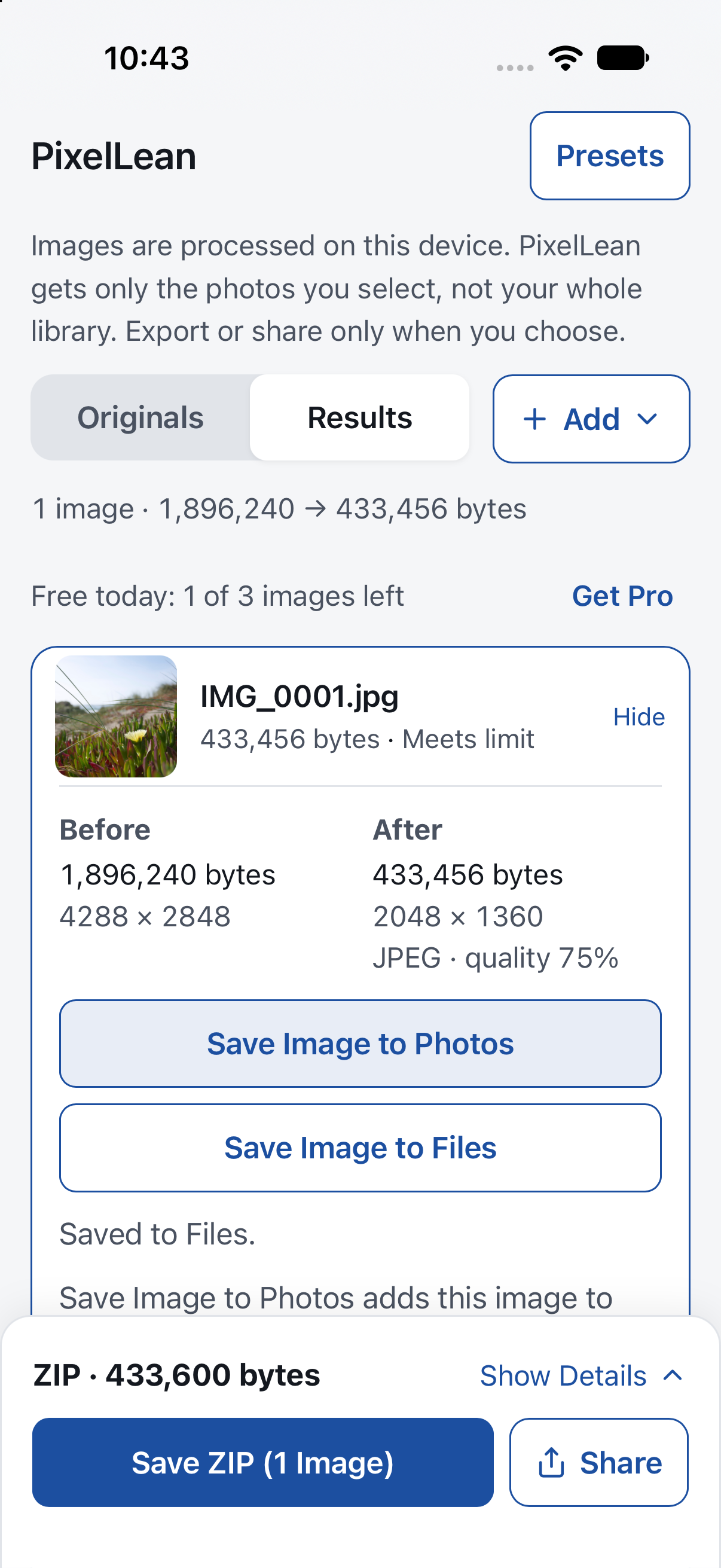
Every result shows the original and output size in exact bytes, with dimensions and format, before you save anything.
Save to Photos or Files, free.
Save a finished JPEG or PNG to your photo library, or save any supported output to Files. Saving stays free after the daily allowance is used. WebP images save to Files.
Batches, ZIP and sharing.
Work with up to 50 images at once, then save a ZIP or choose what to share through the system share sheet. You decide when a file leaves the app.
Your settings, your trade-offs.
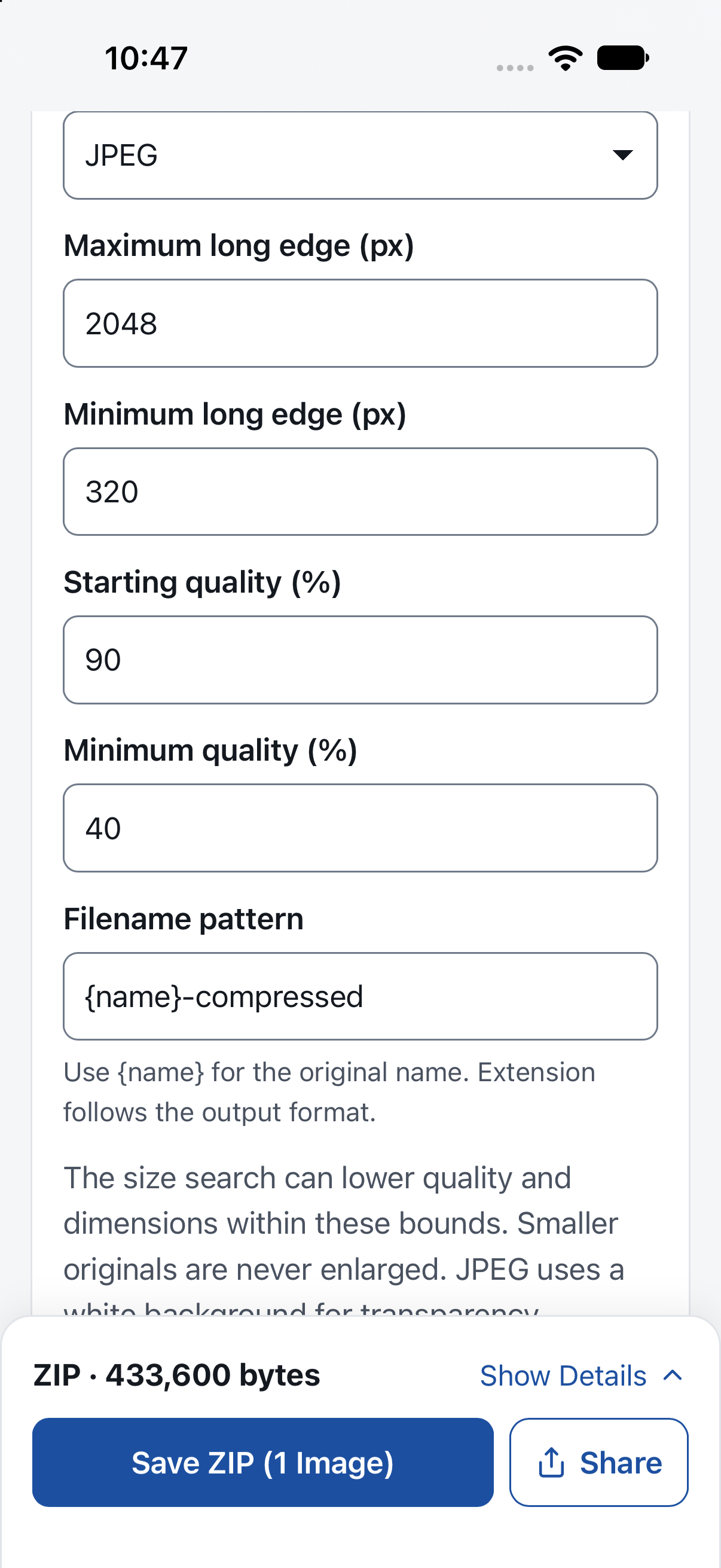
Choose format, maximum and minimum long edge, starting and minimum quality, and output filenames. Keep useful settings as presets. Smaller originals aren’t enlarged; location and camera metadata aren’t copied to generated outputs.
Real screens from the app.
Captured from the iOS beta, not a mockup. Details may change before release.
The details.
Useful controls, with clear limits. No promises a file can’t keep.
- Formats
- JPEG, PNG and WebP. HEIC import uses the device’s JPEG converter at 98% quality where supported. Unsupported codecs and animated images produce an error.
- Size target
- Bytes, KB or MB, per image or per batch. Not every target can be met. 1 kB = 1,000 bytes; 1 MB = 1,000,000 bytes.
- Settings
- Output format, maximum and minimum long edge, starting and minimum quality, presets and filenames.
- Saving
- Photos for JPEG and PNG; Files for all supported outputs. ZIP and sharing stay free too. ZIP container overhead is separate from an image-byte target.
- Batch limits
- Up to 50 images, 25 MB each, 100 MB total input. Pro keeps these safety limits.
- Daily allowance
- 3 new images per local calendar day on this installation. Each source counts after a successful result is finalized. Identical source bytes, repeated adjustments and re-saving that day don’t count again. Failed or cancelled previews don’t count.
- Account
- None needed. There’s no account-based or cross-platform free allowance.
Free to start. No subscription.
Three new images a day, free. Pro removes the limit.
All settings and saving options are included in the free app. Pro changes one thing: the daily allowance.
| Included | Free | PixelLean Pro (planned) |
|---|---|---|
| New images per day | 3 | No daily limit |
| Photos and Files saving | Free | Free |
| Settings, formats and results | All included. No watermark. | The same. No watermark. |
| Batch safety limits | 50 images · 25 MB each · 100 MB input | The same limits |
| Price | Free | $4.99 USD, one-time |
| Subscription | None | None |
Pro is planned as an iOS in-app purchase and isn’t publicly available yet. $4.99 USD is the planned U.S. price; Apple shows the applicable local price before purchase. Once available, buy or restore inside PixelLean. It does not unlock a browser or Android version.
Your images stay your images.
Processed on your device.
Images are processed on your device. Export or share only when you choose. The PixelLean app has no accounts, ads, analytics or server image uploads.
A photo or document provider may fetch its cloud files. Apple handles purchases; your chosen save destination or recipient handles exported copies.
Read the Privacy PolicyA little clarity goes a long way.
PixelLean isn’t on the App Store yet. This page previews the app ahead of release.